Fancy Android Ruler
- RTL and LTR support
- Imperial and metric systems
- Smooth scroll with callbacks
- Fully customizable colors
- Quarter and three-quarter markers
- Published on Maven Central
Building a Ruler That Actually Works
When I was developing a fitness app that needed height input, I wanted something more intuitive than a number picker. A ruler felt natural - slide to your height, see the number update in real-time.
The problem? Existing solutions were either too basic, didn’t support RTL (right-to-left) layouts, or lacked the customization I needed.
So I built FancyAndroidRuler.

RTL Support Done Right
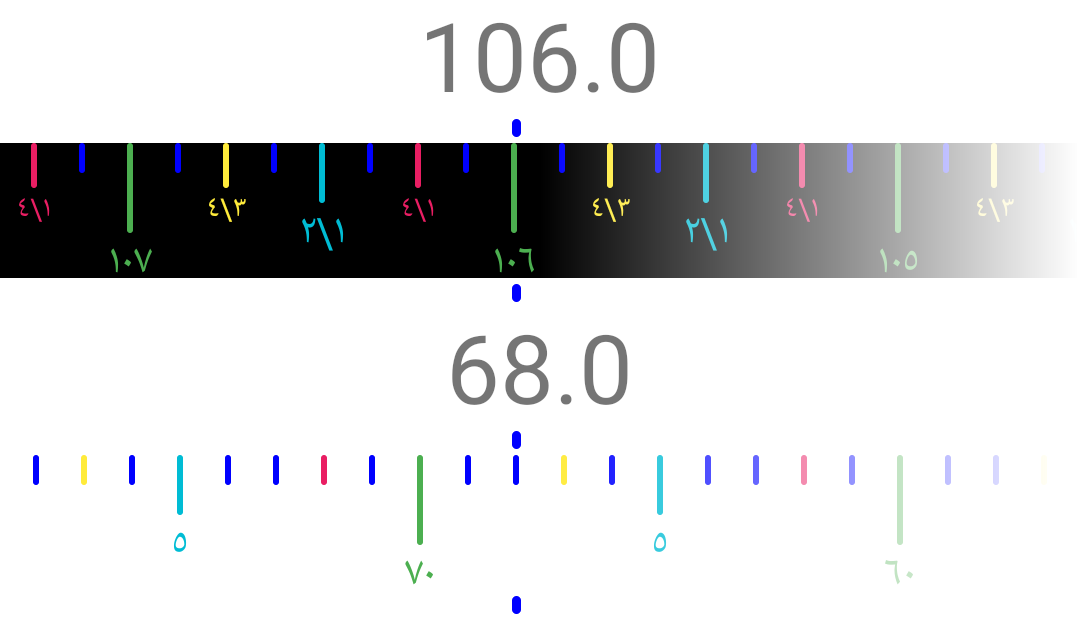
As someone who works with Arabic-language apps, RTL support isn’t optional - it’s essential. This ruler works seamlessly in both directions:
The ruler automatically adapts its scroll direction and marker positions based on your layout direction.
Features
Measurement Systems
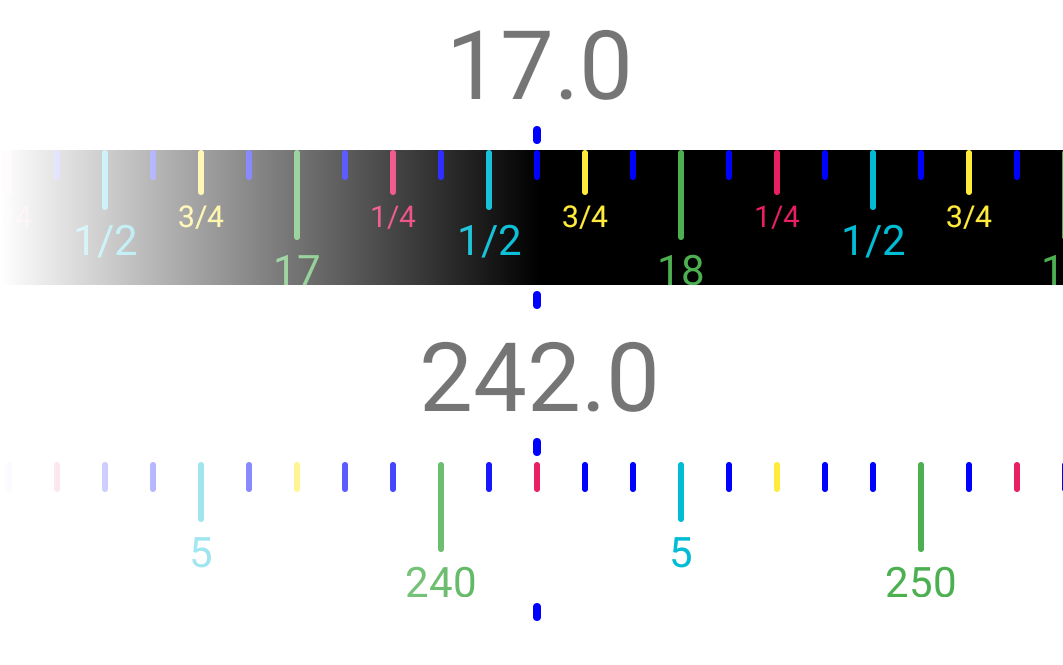
Switch between imperial (inches with quarters) and metric systems:
app:rulerSystem="imperial"<!-- or -->app:rulerSystem="metric"Full Color Customization
Every element can be styled:
<dev.abd3lraouf.custom.ruler.FancyRuler app:rulerPointerColor="#FF0000FF" app:rulerNormalUnitBarColor="#FF0000FF" app:rulerMiddleUnitBarColor="#00BCD4" app:rulerQuarterUnitBarColor="#E91E63" app:rulerThreeQuartersUnitBarColor="#FFEB3B" app:rulerMainUnitBarColor="#4CAF50" app:rulerBackgroundColor="#000" />Theme Options
Installation
Available on Maven Central:
repositories {    mavenCentral()}
dependencies {    implementation 'dev.abd3lraouf.ruler:android:<VERSION>'}
Usage
XML Layout
<TextView    android:id="@+id/value_text"    android:layout_width="wrap_content"    android:layout_height="wrap_content"    android:textSize="32sp" />
<dev.abd3lraouf.custom.ruler.FancyRuler    android:id="@+id/ruler"    android:layout_width="match_parent"    android:layout_height="wrap_content"    app:rulerMinValue="15"    app:rulerMaxValue="108"    app:rulerDefaultPosition="67.5"    app:rulerSystem="imperial" />
Kotlin
class MainActivity : AppCompatActivity() {    override fun onCreate(savedInstanceState: Bundle?) {        super.onCreate(savedInstanceState)        setContentView(R.layout.activity_main)
        ruler.setOnScrollChangedListener({ scrollX ->            value_text.text = ruler.getReading(scrollX).toString()        }, debounceMs = 250)    }}
Technical Details
The ruler is built using a HorizontalScrollView with custom drawing on a Canvas. This provides:
- Native smooth scrolling behavior
- Fling physics that feel natural
- Efficient rendering with hardware acceleration
- Accurate reading calculations regardless of scroll position