Compose Timer - Android Dev Challenge
- Custom Canvas drawing
- Text animations
- Lottie animations
- Countdown logic
- Material Design
- Compose animations API
Android Dev Challenge Week 2
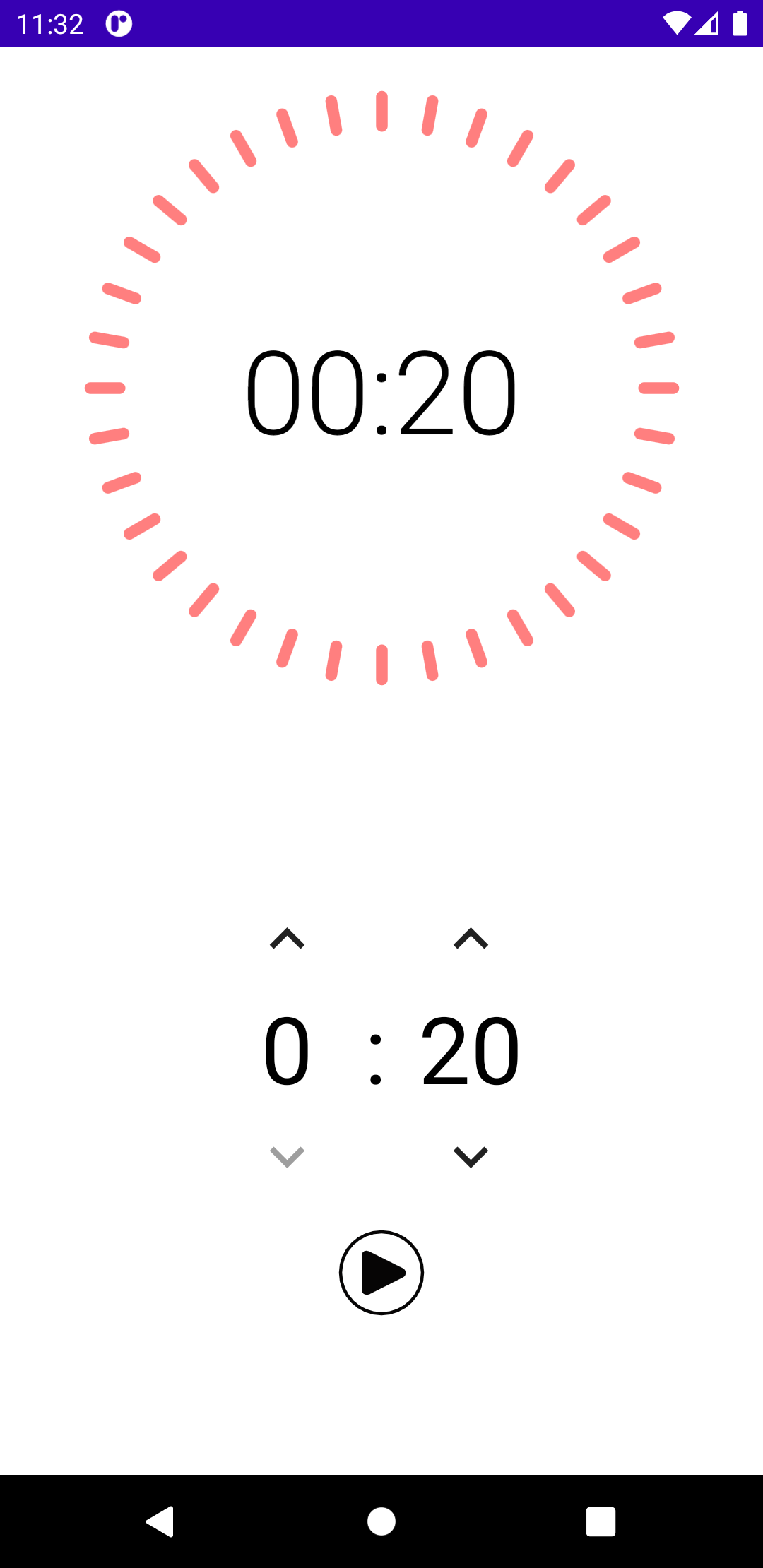
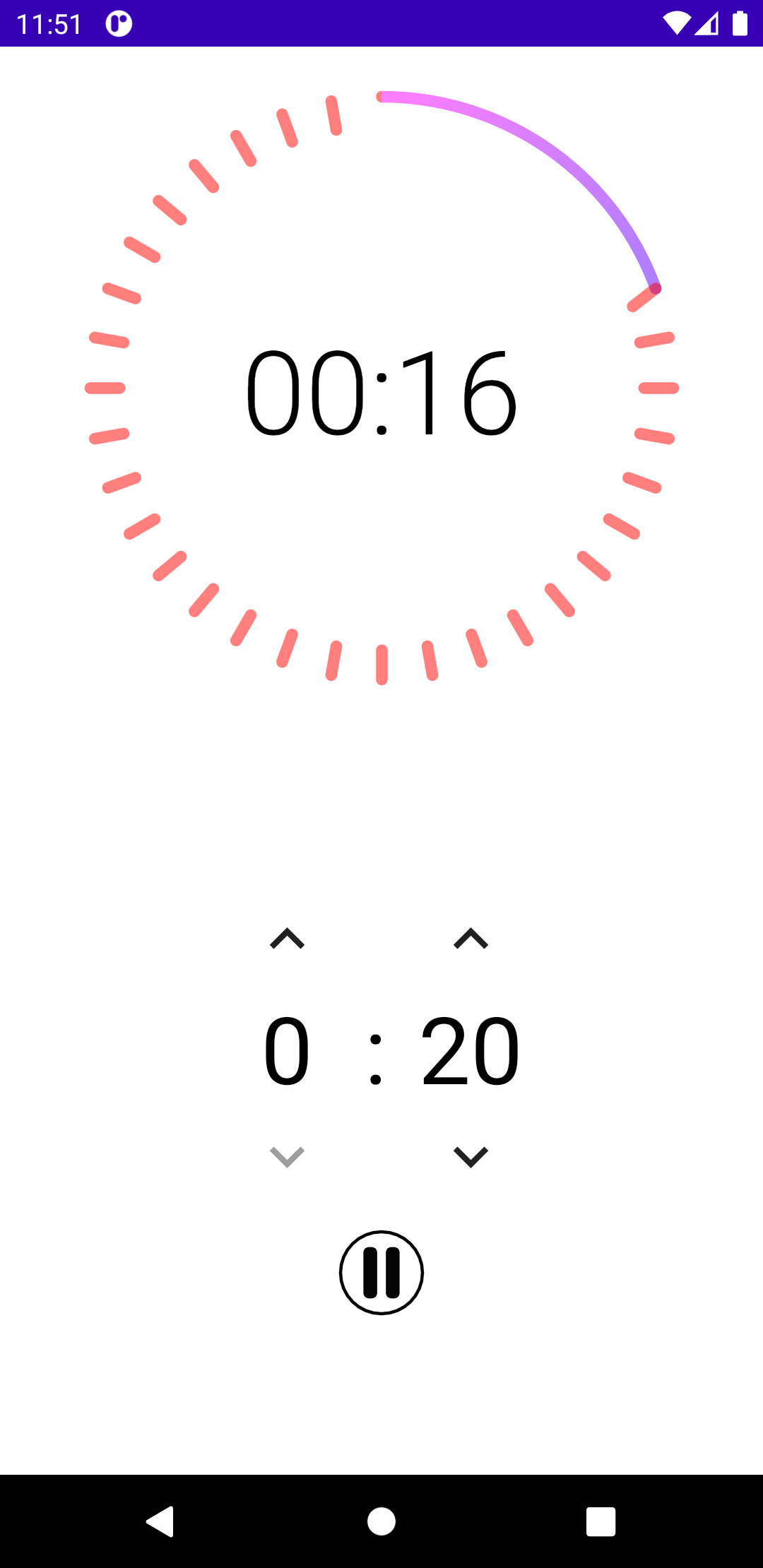
After successfully completing the first week’s pet adoption challenge, I was eager to tackle Week 2: build a countdown timer app. This time, the focus was on animations - a perfect opportunity to explore Compose’s animation capabilities.
Design Inspiration
The UI was inspired by Playsharp’s Countdown design on Dribbble - a clean, modern timer with satisfying visual feedback.
Technical Highlights
Canvas Drawing
The circular progress indicator is drawn directly on a Canvas, giving full control over the animation:
@Composablefun TimerCircle(progress: Float, modifier: Modifier = Modifier) {    Canvas(modifier = modifier.size(200.dp)) {        // Background circle        drawArc(            color = Color.Gray.copy(alpha = 0.3f),            startAngle = -90f,            sweepAngle = 360f,            useCenter = false,            style = Stroke(width = 12.dp.toPx(), cap = StrokeCap.Round)        )
        // Progress arc        drawArc(            color = Color.Blue,            startAngle = -90f,            sweepAngle = 360f * progress,            useCenter = false,            style = Stroke(width = 12.dp.toPx(), cap = StrokeCap.Round)        )    }}
Text Animations
The countdown numbers animate smoothly with scale and fade effects:
@Composablefun AnimatedNumber(number: Int) {    val scale by animateFloatAsState(        targetValue = 1f,        animationSpec = spring(            dampingRatio = Spring.DampingRatioMediumBouncy,            stiffness = Spring.StiffnessLow        )    )
    Text(        text = number.toString(),        modifier = Modifier.scale(scale),        style = MaterialTheme.typography.h1    )}
Lottie Integration
For celebratory moments (like timer completion), Lottie animations add that extra polish:
@Composablefun CompletionAnimation() {    val composition by rememberLottieComposition(        LottieCompositionSpec.RawRes(R.raw.confetti)    )    val progress by animateLottieCompositionAsState(composition)
    LottieAnimation(        composition = composition,        progress = { progress }    )}
Compose Animation Learnings
This project deepened my understanding of Compose animations:
- animateFloatAsState - Simple value animations
- updateTransition - Coordinated animations for state changes
- Canvas - Custom drawing with full control
- Lottie - Complex animations from After Effects
Animation Specs
// Spring animation for bouncy effectsspring(dampingRatio = 0.5f, stiffness = 300f)
// Tween for predictable timingtween(durationMillis = 500, easing = FastOutSlowInEasing)
// Keyframes for complex sequenceskeyframes {    durationMillis = 1000    0f at 0    0.5f at 500    1f at 1000}
What I Learned
- Canvas is powerful - For custom graphics, nothing beats direct Canvas drawing
- Animation composition - Compose makes it easy to layer multiple animations
- State-driven animations - Animations react to state changes naturally
- Lottie integration - Easy to add professional animations with the Lottie library