Fact sheet.
The short version, ready to lift.
Boilerplate, two lengths.
Copy either verbatim or trim it — both are yours.
One sentence
QuaRex is a terminal for macOS, Windows and Linux that drops down from the top of the screen at a key, as Quake's console did, and holds spaces of tabs and split panes across this machine and others — over SSH, Tailscale or a paired QuaRex — with sessions that keep running after the window closes.
One paragraph
QuaRex is a terminal that drops down from the top of the screen at a key — F12 by default, any key you choose — over every app, full-screen ones included, on whichever screen the pointer is on. It keeps spaces of tabs and split panes, and a single tab can hold panes running on several computers at once: this one, a machine reached over SSH, which QuaRex connects on the local network where it answers and over Tailscale where it does not, or another computer running QuaRex, paired once by approving a fingerprint. Shells run in a session server of their own, so quitting QuaRex ends nothing: open it again and every tab, split and program comes back as it was. On top of that sits a terminal built the way iTerm2 users expect — a right-click menu that knows links, selections and commands, shell integration for zsh, bash and PowerShell, Copy Mode, annotations and snippets — plus browser and note panes, Kitty graphics, a command palette, and files and localhost links from a remote pane that open on the machine in front of you. It ships for macOS on Apple silicon (signed and notarized), Windows 10 and 11 on x64 and ARM64, and Linux on x64 and ARM64, and it updates itself from signed releases. It is a free preview.
Four ways into the story.
The game console's drop-down, back as a work tool
Quake's console dropped from the top of the screen at a key. QuaRex does the same over any app, full-screen ones included, on the screen the pointer is on — and it keeps a space of its own, so the windows you arrange stay untouched.
One tab, panes on three computers
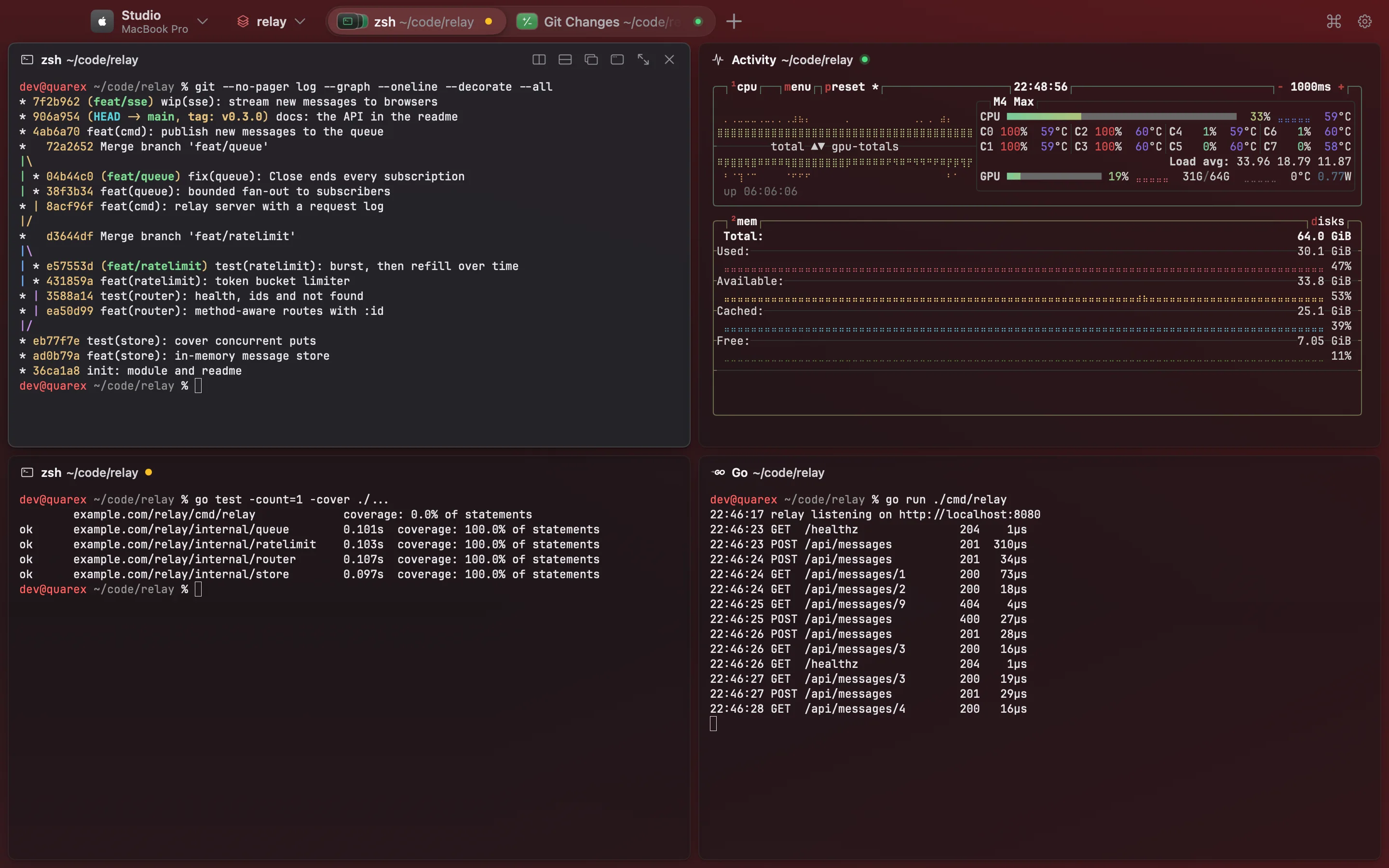
A pane on the laptop beside a pane on a Linux box beside one on a Windows PC, each header naming its machine. SSH hosts open on the local network at home and over Tailscale away from it, without editing a config file.
Quit the app, keep the work
Shells run apart from the window. Close QuaRex, open it tomorrow, and every tab, split and running program is where it was — full-screen programs such as vim and htop included.
One terminal on macOS, Windows and Linux
The same app, the same keys and the same spaces on all three systems, on x64 and ARM64 where the system has both. On Windows the drop-down key works with no change to the system.
Screenshots and artwork.
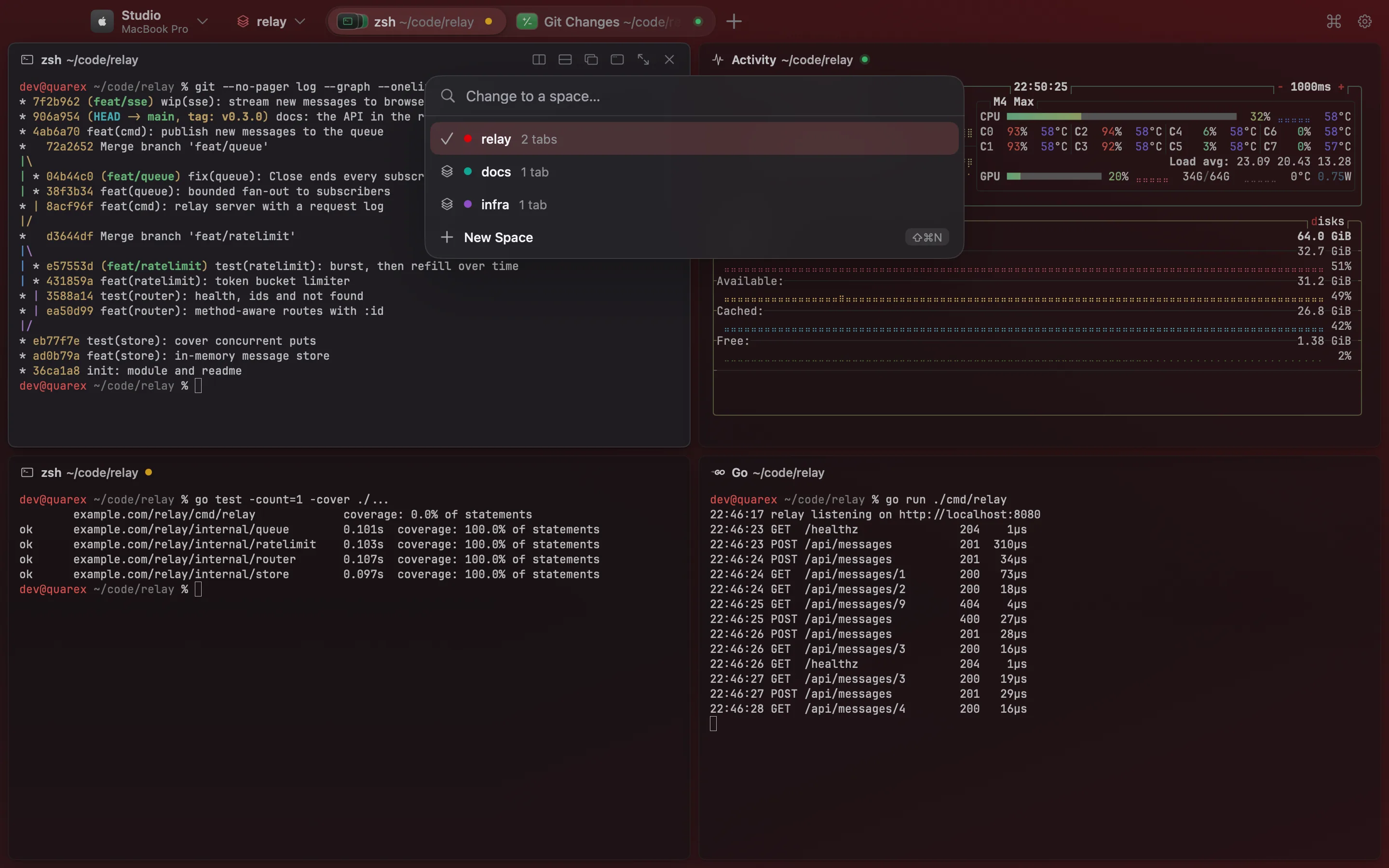
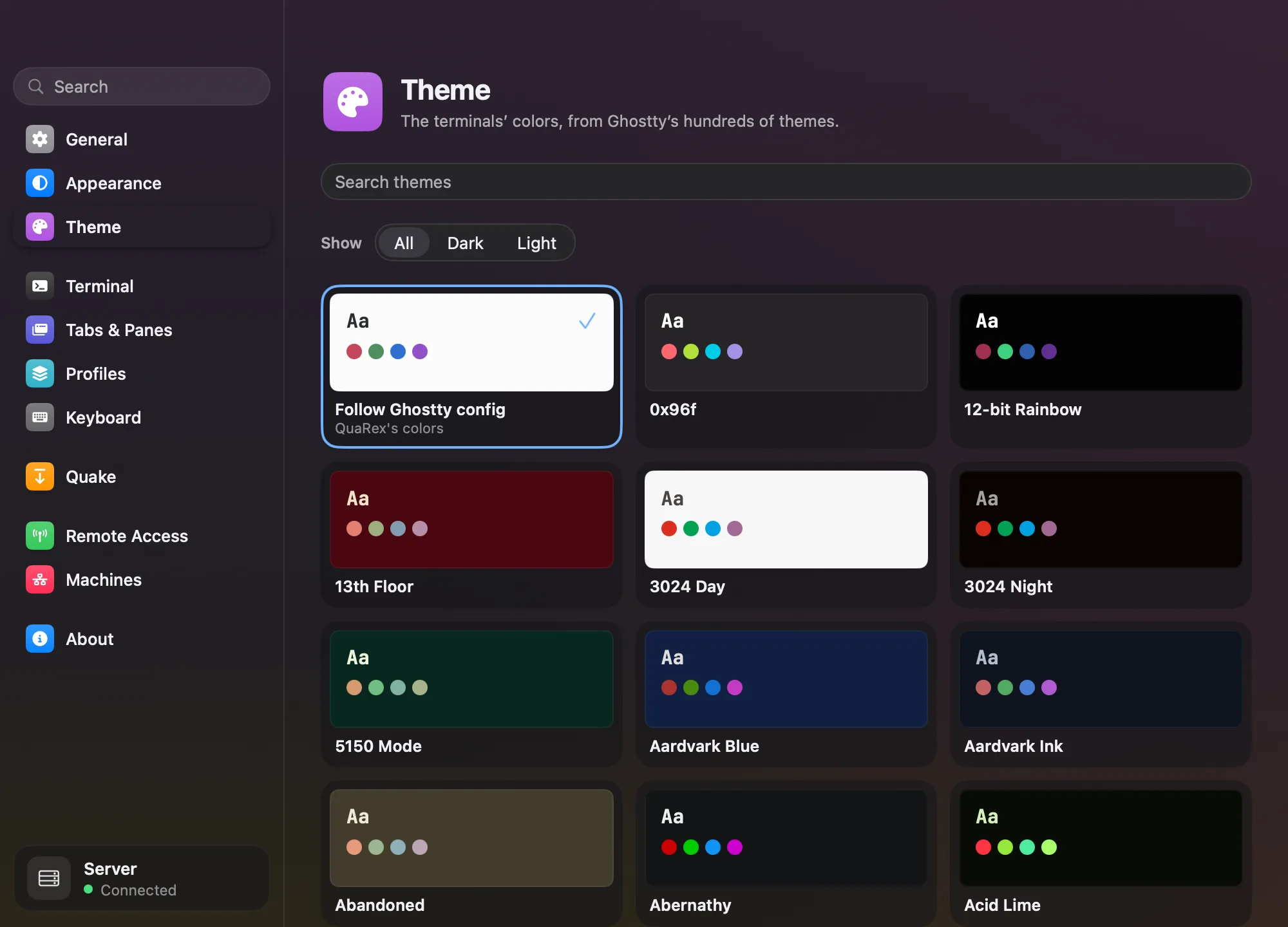
Click any picture to see it full size — arrow keys move between them. Every file is free to publish at any size or crop.
Everything it does.
The complete list, one line each — for a cut that needs to be exhaustive. Pro items are marked.
- Quake terminal: F12 — or any key you choose — drops a terminal from the top of the screen in any app, over full-screen apps too, on the screen the pointer is on
- Quake height from 30% to the whole screen, a pin that keeps it down, a grabber that resizes it live, and a space of its own
- A tray icon that keeps QuaRex in the background, and starting at login
- Tabs and split panes, each pane a card with its program, its directory and buttons to split, zoom and close
- Spaces: named sets of tabs with a colour each, one per window, kept running when the window closes
- Move a pane or a tab, its program still running, to a new window, another window or the quake terminal
- A picker for the new pane: this machine or a connected one, and its shells, your profiles or an SSH host
- One tab can hold panes running on several machines, each header naming its machine
- SSH hosts open on the local network where they answer and over Tailscale where they do not, and reconnect on their own
- Pair another computer running QuaRex once, by approving a fingerprint, and open its sessions in tabs beside your own
- Teleport a pane — its Git work, its scrollback and a Claude Code conversation — to a connected machine
- Sessions that outlive the app: quit and reopen, and every tab, split and program comes back
- A right-click menu as iTerm2 has it, for links, selections and commands
- Shell integration for zsh, bash and PowerShell: copy a command or its output, re-run it, jump between prompts
- Copy Mode from the keyboard, Copy with Styles, annotations pinned to text, and snippets
- A file printed in another machine’s pane opens here — in Quick Look on a Mac — and a localhost link opens that machine’s port in your browser
- Browser panes and note panes beside your terminals
- Kitty graphics, find in scrollback, and links that open with a click
- Focus follows the mouse, vertical tabs, pane animations and a command palette
- Every Ghostty theme, light and dark appearances, and JetBrains Mono with Nerd Font icons built in
- A skill and session hook for Claude Code, Codex, OpenCode and Pi, so an agent can drive QuaRex
- A quarex command line for sessions, layouts and remote hosts
- Updates itself from signed releases
- Free while it is in preview
The person behind it.
Abdelraouf Sabri
Senior Android engineer · Egypt
Abdelraouf Sabri is a senior Android engineer with seven-plus years shipping production mobile apps, Google-certified in Android, and an independent developer working from Egypt. He builds the studio's apps and developer tools end to end — design, code and release — and takes on Kotlin Multiplatform client work alongside them.
Press FAQ.
Can I use the screenshots, icon and copy?
Yes, freely and without asking — in articles, videos and social posts, for coverage of the studio or its products. The one request is that the icon is not recoloured, stretched or restyled.
Is anything here under embargo?
No. Everything on this page is public the moment you read it, so publish whenever suits your schedule. There is no date to hold to and no coverage expected in return.
Is the developer available for interviews?
Yes — written questions usually come back within a day, and calls can be arranged across European and Middle East time zones. The contact form reaches the person who wrote the software, not a press desk.
Something is missing or looks out of date. What then?
Ask through the contact form. If a fact on this page has moved, a screenshot is stale, or you need an asset at a size that is not published here, it can usually be supplied the same day.
Brand assets.
The icon and the colours. Please do not recolour, stretch or restyle the icon.


Palette
Everything, zipped
All 7 files, plus the boilerplate and the fact sheet as plain text.
Talk to a human.
Review copies, promo codes, an interview, or anything missing from this page — the contact form reaches the person who wrote the software, and you will hear back within a day.
Nothing here is under embargo · free to reproduce · no coverage expected